Vibe Redesigned? My First Foray Into Vibe Designing Using Google Stitch
The Problem: DaisyUI v4 → v5 Broke Everything
Or how to break an upgrade cycle because you didn’t properly isolate your custom CSS tweaks to a Tailwind plugin library
When I originally built purelinks.xyz, I reached for DaisyUI version 4 as my component library on top of TailwindCSS. It gave me a solid foundation of pre-built components that I could customize to fit my vision. Over time I layered on custom CSS overrides and JavaScript tweaks to get the look and behavior exactly where I wanted it.
Then I tried to upgrade DaisyUI to v5…
The upgrade introduced breaking changes across the board; class names shifted, component structures changed, and many of the CSS custom properties I was relying on were renamed or removed entirely. My carefully crafted overrides stopped working, layouts broke, and interactive elements lost their custom behavior. Rather than spend hours debugging and patching each broken piece, I decided this was the perfect opportunity to rethink the design from scratch.
Enter Google Stitch
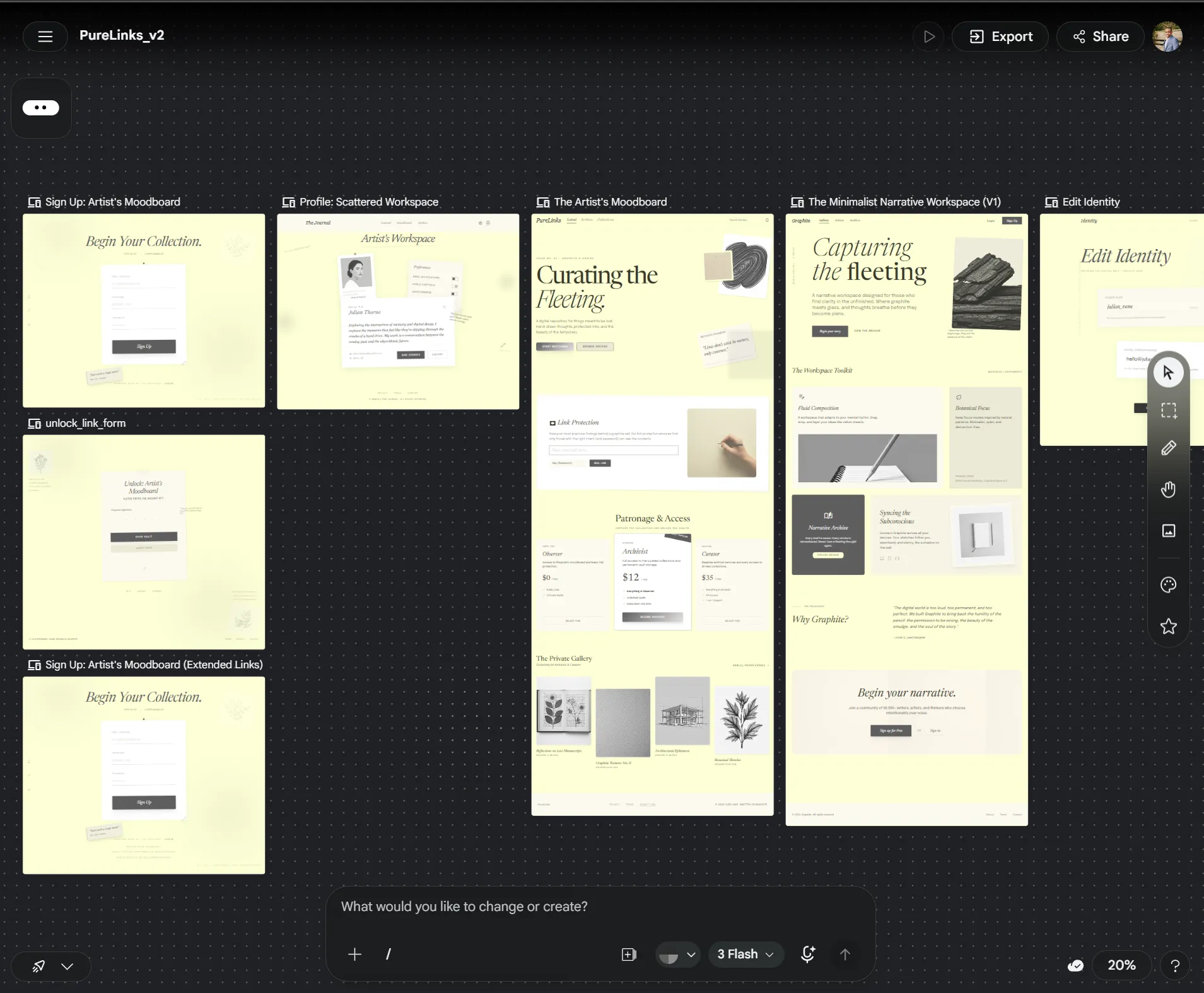
Is it still just AI slop?
I’d been hearing about AI-powered design tools and wanted to try a “vibe design” approach describing what I wanted and letting an AI tool help generate the foundation. Google Stitch caught my attention as a way to rapidly prototype UI designs through natural language prompts and iterative refinement.
The workflow looked something like this:
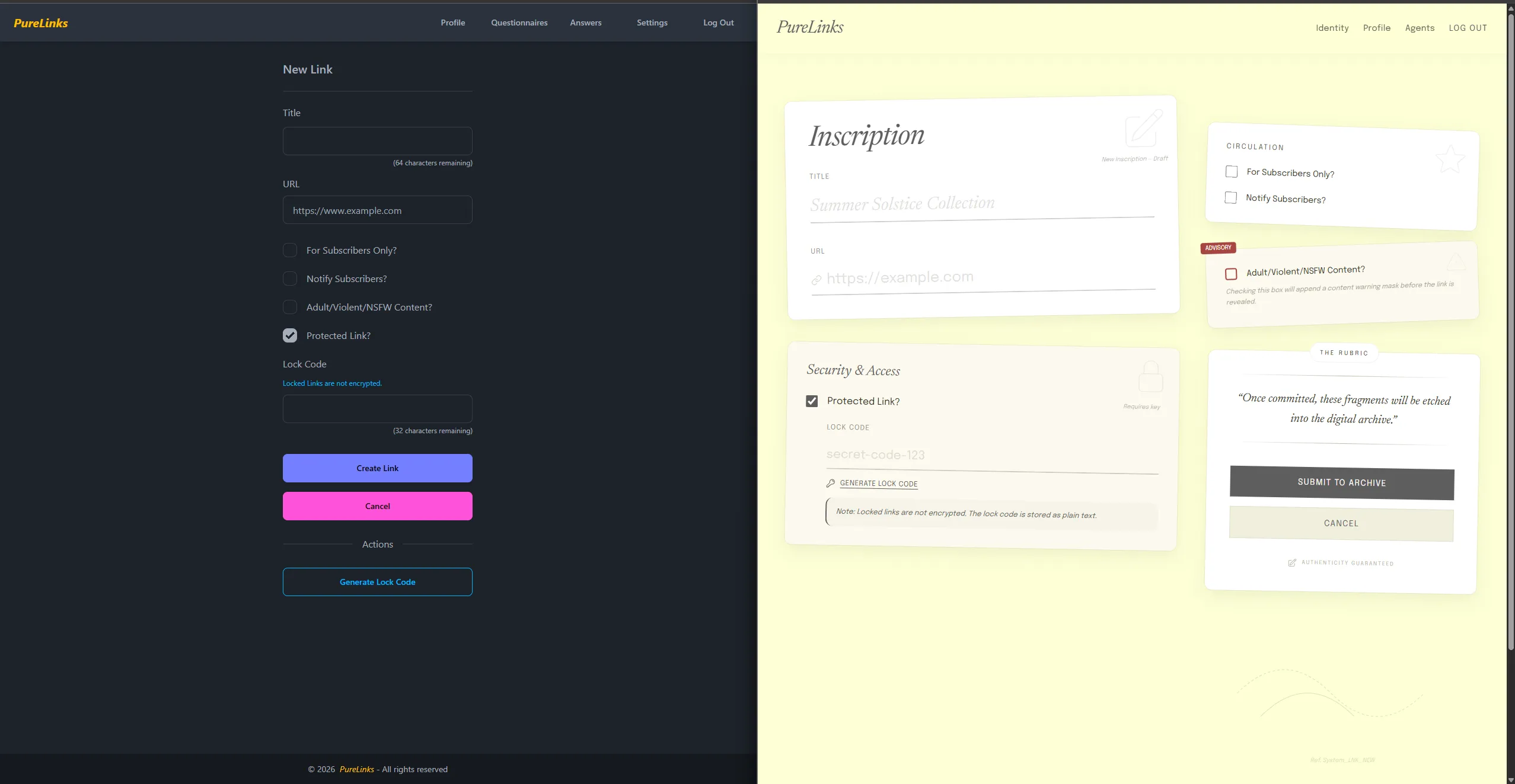
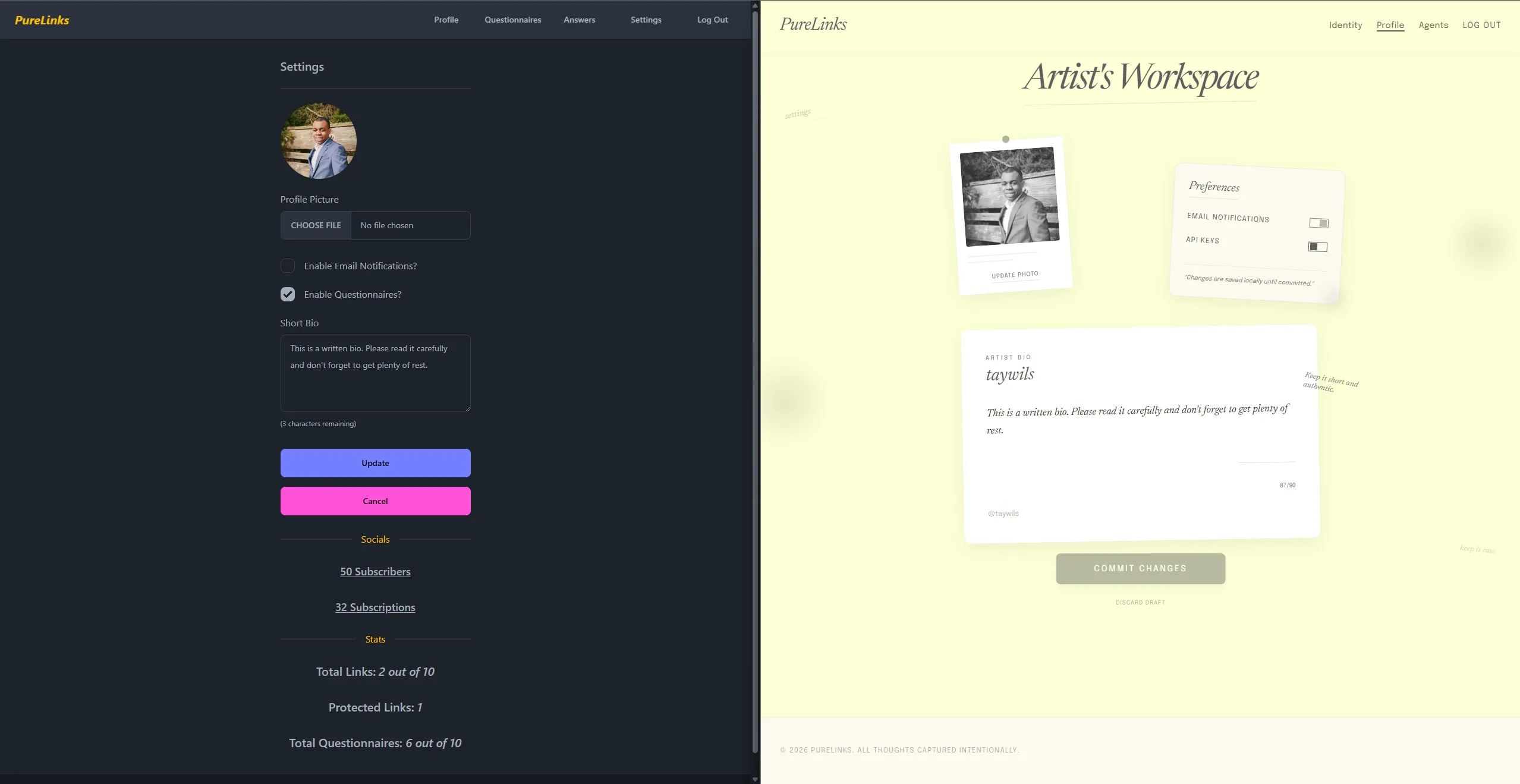
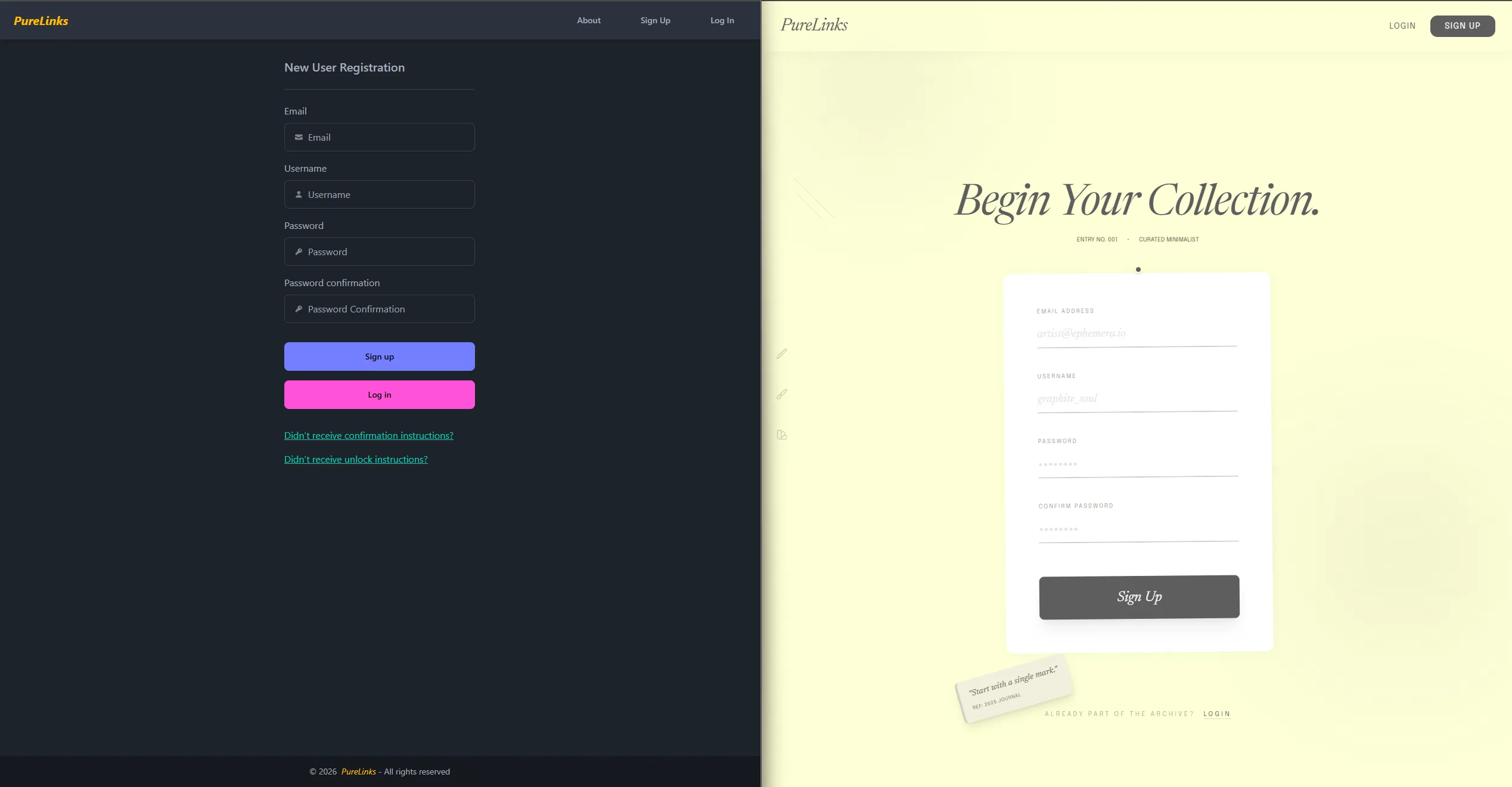
- Describe the vibe I fed Stitch a description of the aesthetic I was going for: something like an old paper ephemera sketchbook that one would use to place quick ideas.
- Iterate on outputs Stitch generated initial layouts and component ideas that I could tweak through follow-up prompts.
- Extract what works I pulled the design patterns from the aptly named “DESIGN.md” and structural ideas that resonated and translated them into my actual codebase.
- Iterate with Google Stitch MCP I would continue to chat with the Claude model backed Kiro agent hooked up to the Stitch MCP and fine tune the rough edges of the initial designs.
Before & After Gallery
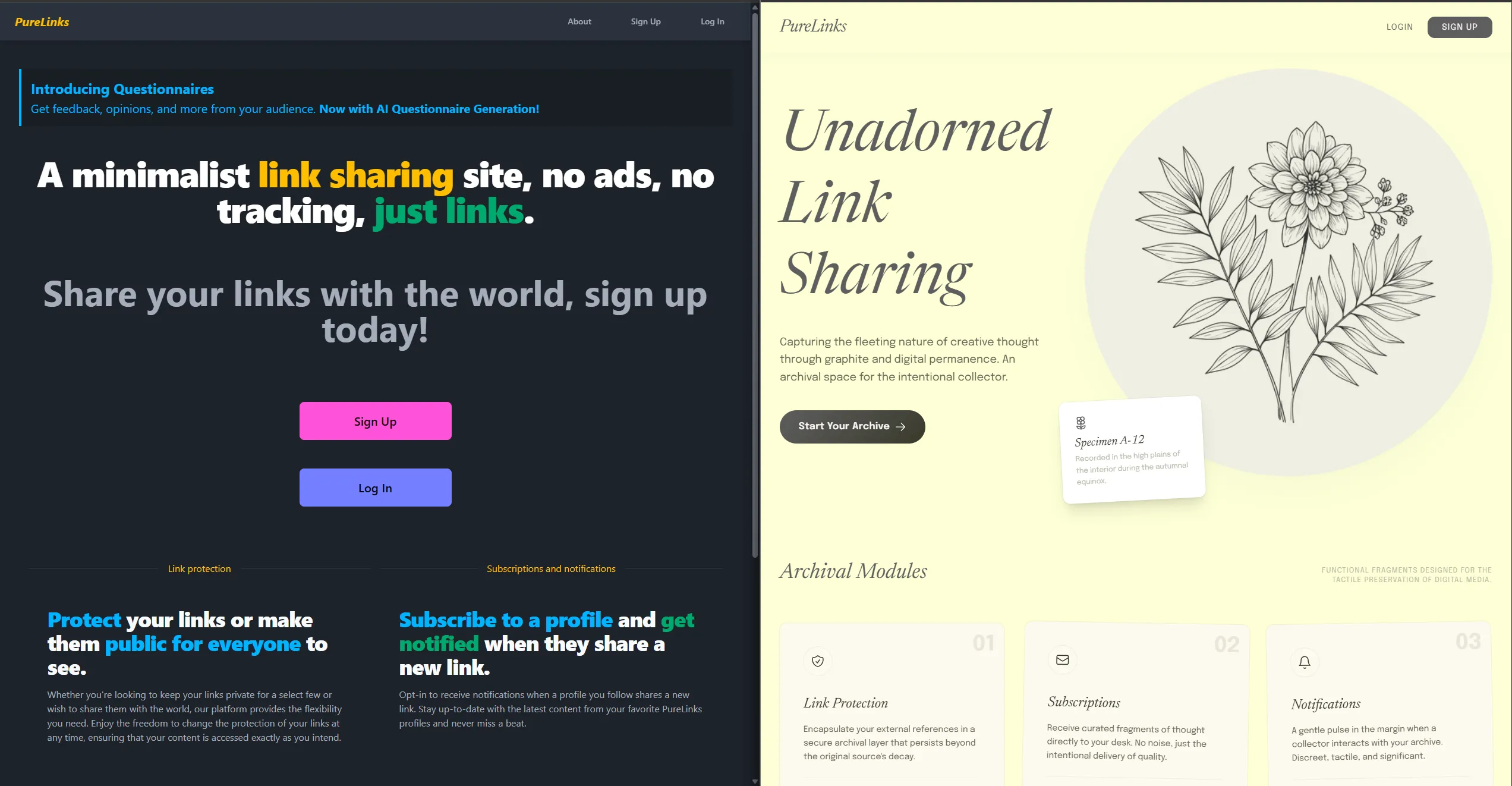
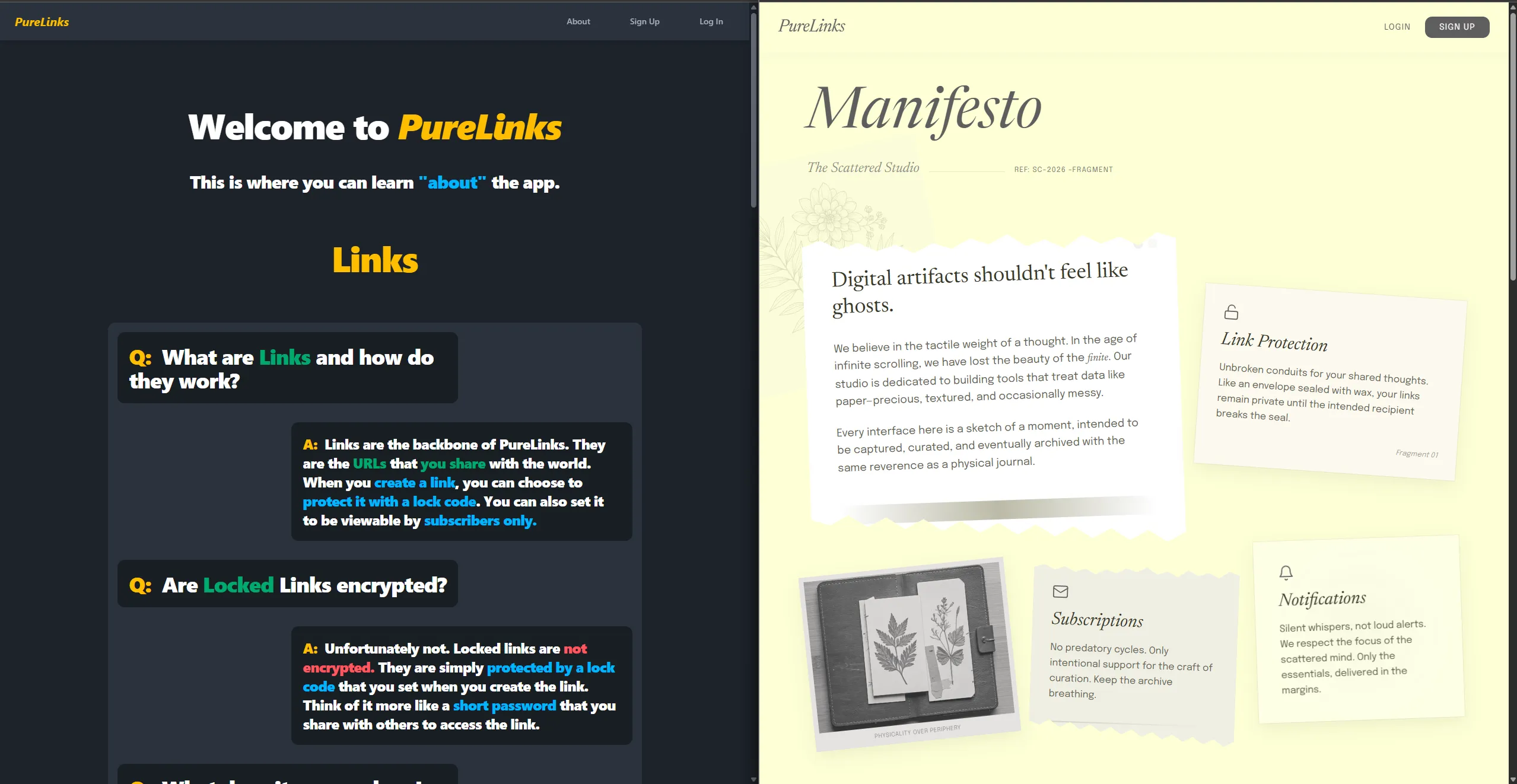
Looking Back, My Takeaways
Vibe Designing Is Real (But Not Magic)
Using an AI tool to explore design directions is genuinely useful for breaking out of decision paralysis. Instead of staring at a blank canvas, I had concrete starting points to react to. “I like this but not that” is a much easier creative mode than “build something from nothing.”
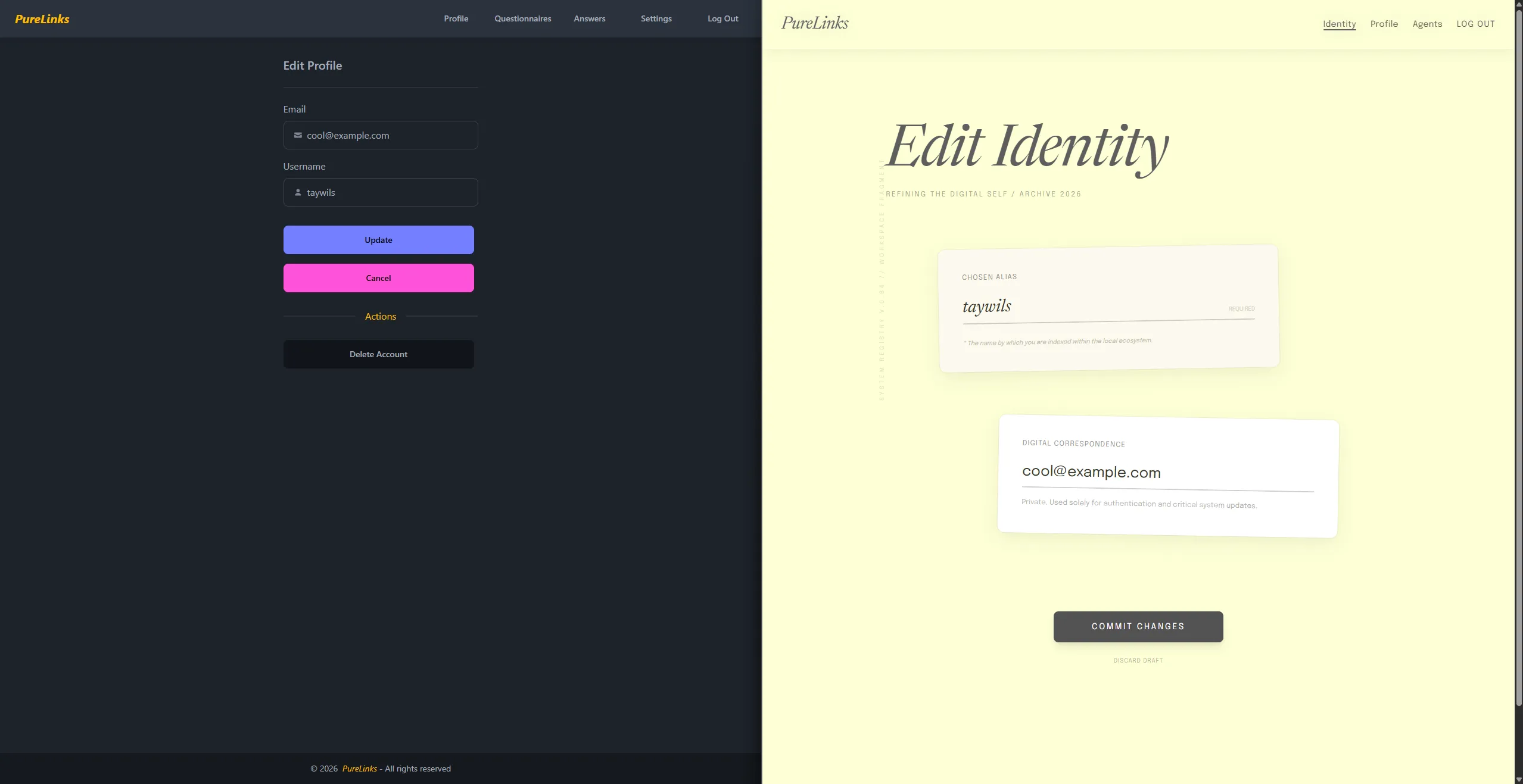
DaisyUI Lock-in Was the Real Issue
The deeper lesson here wasn’t about DaisyUI being bad; it’s a great Tailwind library that at the time (prior to the mass adoption of coding agents) saved a lot of keystroke when writing Tailwind. The issue was how tightly I’d coupled my customizations to its internal implementation details. When those details changed, everything crumbled. The redesign gave me a chance to just start fresh with raw “Vibe Designed” Tailwind.
AI Vibe Design Tools Complement, They Don’t Replace
Google Stitch helped me explore directions quickly, but the final implementation still required hands-on work; understanding the CSS, making accessibility decisions, and ensuring the design actually served the aesthetic I was aiming for. The AI got me 60-70% of the way there faster than I could have alone, but that last 30% is where the craft lives.
What’s Next
I’m continuing to refine the design on purelinks.xyz and will share more about the specific implementation details in a follow-up post. For now, I’m pretty satisfied with how the vibe design approach helped me move past the DaisyUI breakage and land on something that feels more intentionally mine.
Final Note
Google Stitch isn’t perfect; the MCP is janky at times and you often have to use the Copy Code feature and just grab the raw HTML/CSS it produces for your mocks and just dump it into a “tmp” folder in your workspace. Despite that the Stitch MCP Docs are super helpful and your coding agent should be able to “stitch” it together…